
Table of Contents
If you have been waiting to experience Naruto Shippuden: Ultimate Ninja Storm 4 directly on your smartphone without struggling with heavy PC or console emulators, the wait is finally over. Ten years after the game’s original debut, community developer Shadow (Shadow 2 / Shadowll) has brought Naruto Storm 4 to Android natively—and there are actually two different community builds you can grab right now depending on your phone’s storage and specs.
At Wapzola, we have teamed up with our original breakdown from Gamehelptech to bring you all the details, device requirements, installation steps, and download links in one place.
Below, you will find all the required download links, minimum system requirements, and quick installation steps provided by Gamehelptech.
Naruto Storm 4 Native Android Ports and Mods: Complete Setup and Performance Guide Running On Mali & Adreno GPU at 60 FPS
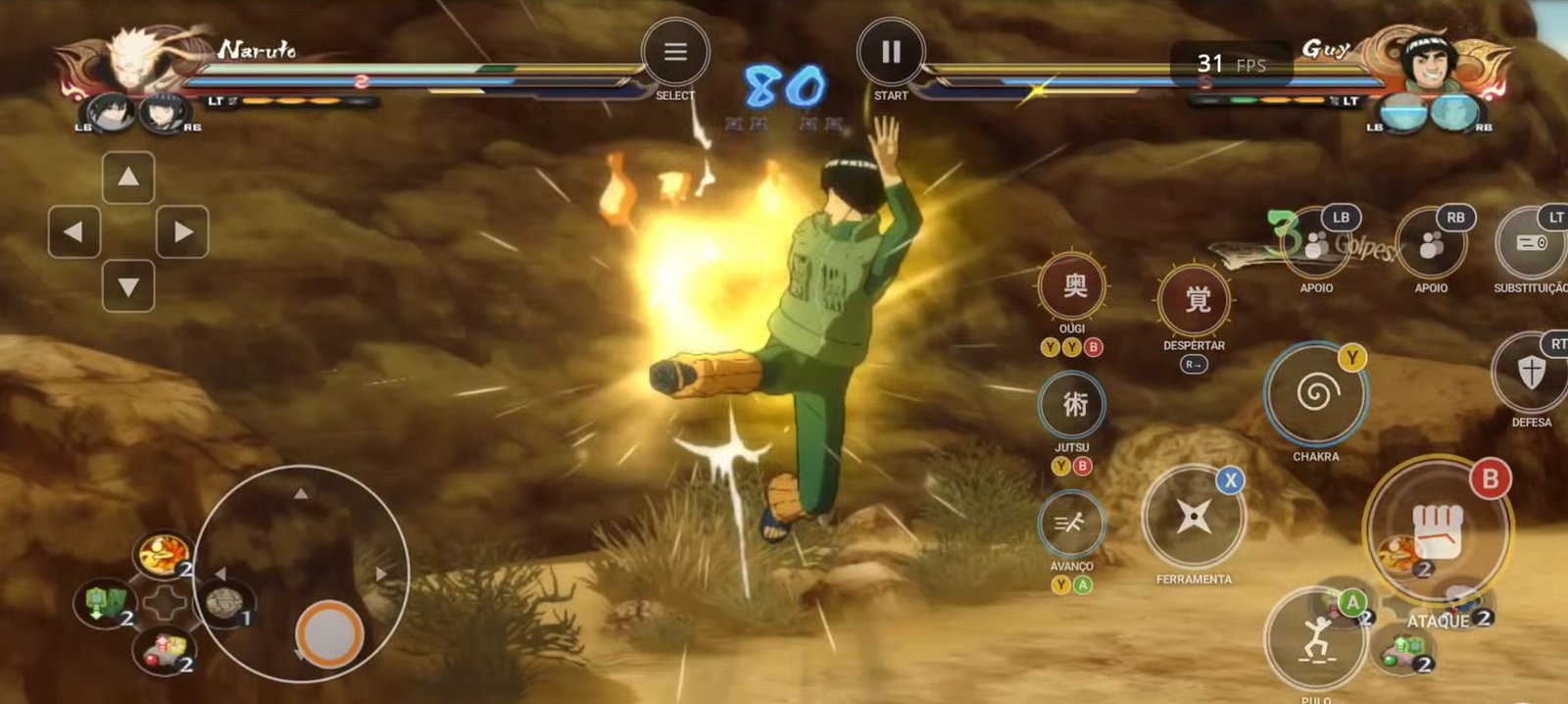
Naruto Shippuden Ultimate Ninja Storm 4 android port 2
Overview of Both Native Android Builds
Before grabbing the files, it helps to know which version fits your Android device best:
-
Naruto Storm 4 Native Standalone Port (Light & Complete Versions): A direct native Android port featuring a custom character-themed launcher, live resolution scaling, online combat lobby support, and dynamic Story/Battle Quick-Time Event (QTE) controls. Available in a compressed ~13 GB Light version or the 30+ GB Complete version.
-
Naruto Storm 4 MOD Native Port (Storm Revolution Base): A lightweight native built on top of the Xbox 360 Naruto Shippuden: Ultimate Ninja Storm Revolution base using a dedicated Mod APK and optional DLC mod files.
Note on Shadow Hub: All of Shadow’s native Android projects—including Storm 2 (PC port with dubbing updates), Storm 3, Storm Generations, Storm Connections, and Storm 4—are also accessible inside the Shadow Hub launcher app, which includes an optional Supporter tab for beta access.
Download Links:
Download & Full Setup Guide
Choose your preferred download option below. You will find two download sections in this post: one for direct download links and another for sponsored links. By clicking on the deep blue sponsored download button, you’ll unlock access to ad blockers, VPNs, and other amazing freebies and exclusive offers from our sponsors. Best of all, using these links helps support this channel, enabling me to keep researching and providing free, top-quality games, tools, and apps for you. Check them out below:
⭐ 🔥 RECOMMENDED DOWNLOAD OPTION 🔥 ⭐
👇 Click one of the sponsored links below 👇
ADVERTISEMENT: Sponsored links help support this website and may open an advertiser page before continuing.
👆 Sponsored link • Opens in a new tab
👆 Sponsored link • Opens in a new tab
Download Link for the Naruto Storm 4 Native Standalone Port APK (No Game File Needed) By Shadow
Download Link Naruto Storm 4 Native Standalone Port APK (Only 24MB) by Shadow
Download Link for the Storm 4 MOD Native Port (Storm Revolution Base) (6 GB)
Download Naruto Storm 4 Revolution Mod APK File from Github (25MB)
Download Naruto Storm 4 Revolution Mod Game Data File from Mediafire (6GB)
==============================================================================================================================================================================================================================
Choose your preferred download option below. You will find two download sections in this post: one for direct download links and another for sponsored links. By clicking on the deep blue sponsored download button, you’ll unlock access to ad blockers, VPNs, and other amazing freebies and exclusive offers from our sponsors. Best of all, using these links helps support this channel, enabling me to keep researching and providing free, top-quality games, tools, and apps for you. Check them out below:
⭐ 🔥 RECOMMENDED DOWNLOAD OPTION 🔥 ⭐
👇 Click one of the sponsored links below 👇
ADVERTISEMENT: Sponsored links help support this website and may open an advertiser page before continuing.
👆 Sponsored link • Opens in a new tab
👆 Sponsored link • Opens in a new tab

